How Mobile Workforce and Task Tracking Connects Labor Time, Crew Activity, and Container Movement

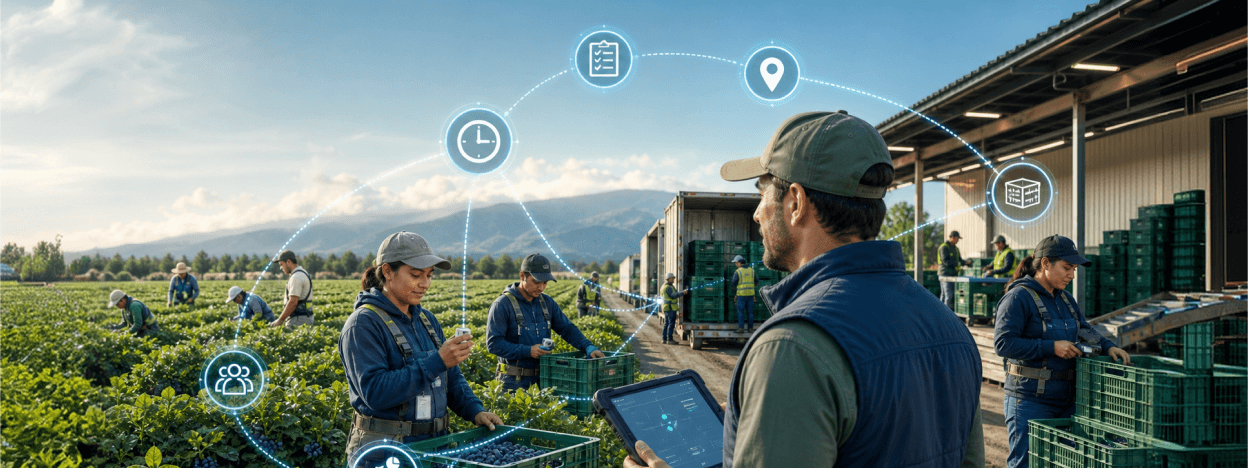
Field labor is dynamic. Employees move between tasks, crews change, containers are assigned, nonproductive time occurs, and supervisors need to understand what happened without relying on end-of-day memory.
We built a mobile workforce workflow that uses badge identification and configurable tasks to capture clock events, hourly work, piece activity, container assignments, inspections, notes, and summaries.
The solution turns frontline labor activity into a structured record that can support payroll, productivity analysis, accountability, and traceability.
The Challenge
Traditional timekeeping rarely captures enough operational context. A worker may be clocked in, but managers still cannot see the task, crew mode, container, location, or reason for nonproductive time.
When supervisors manage multiple people at once, repeated manual entry becomes a bottleneck. Badge scans, task rules, and validation must work together without creating a complicated interface.
Our Solution
The workflow supports individual and multi-employee selection, badge scanning, task and list configuration, clock-in and clock-out, hourly and piece events, nonproductive activities, and container-linked work. It can enforce prerequisites such as active clock status and compatible task context before saving.
Inspection, notes, data, employee, task, and summary screens provide a broader operational view. Local persistence and synchronization support field continuity, while optional Bluetooth or USB peripherals extend capture and printing.
The workflow is designed to make complex operational technology feel simple at the point of activity. Operators follow a clear sequence, while supervisors and system owners retain the configuration and visibility needed to manage the process at scale.
Key Features
The solution includes practical features designed to improve frontline accuracy and simplify operational control:
- RFID or NFC employee badge identification
- Clock-in, clock-out, hourly, piece, and nonproductive event capture
- Single-worker and multi-worker crew workflows
- Task, list, location, and operational context selection
- Container scanning and assignment
- Inspection and note capture
- Employee and task summaries with local event history
- Synchronization, device connectivity, and optional printing support
Together, these capabilities create a consistent digital workflow that reduces manual reconciliation and preserves the context behind every accepted record.
Benefits for Labor-Intensive Operations
Using a purpose-built mobile workflow provides several operational advantages:
- Capture labor time together with the work that gives it meaning.
- Reduce repetitive entry when managing crews or shared tasks.
- Improve payroll review with a structured event history.
- Identify skill gaps, inactive time, and productivity patterns.
- Connect containers and production events to responsible workers.
- Give supervisors faster access to current employee and task status.
Rather than relying on memory, handwritten notes, or disconnected devices, teams receive a structured process that supports faster work and more dependable decisions.
Benefits for Workforce Supervisors and Payroll Teams
Workforce leaders need to understand both employee time status and the operational activity performed during that time. The workflow helps them:
- Review clock, hourly, piece, container, and nonproductive events together
- Understand which tasks and contexts occupied each worker or crew
- Identify missing clock prerequisites, task conflicts, and unusual event sequences
- Reduce repetitive entry when supervisors manage multiple employees at once
- Connect labor activity to containers, inspections, notes, and production events
- Provide payroll teams with a clearer event history for exception review
Supervisors gain a more useful view of crew execution, while payroll teams receive structured evidence that explains how recorded time relates to actual work.
Built for Dynamic Crews and Changing Work Assignments
Workforce tracking must reflect how labor actually moves through a shift, not only when a person enters or leaves the site. The workflow is suited to:
- Field crews moving between hourly, piece-rate, and nonproductive tasks
- Crew leaders recording activity for several employees at once
- Operations requiring task, location, list, or work-type context
- Container-based work that must be linked to responsible employees
- Supervisors capturing inspections, exceptions, breaks, or notes
- Remote sites preserving clock and task events until synchronization
Combining time status with task and production context gives managers a more useful account of labor activity than a standalone attendance record.
Growing From Time Capture to Workforce Performance Insight
The workflow can expand to additional task types, crew structures, badge roles, container processes, exception reasons, approval steps, and site-specific labor rules.
Structured events can later support payroll review, task-cost analysis, productivity comparison, skill-gap identification, and planning for future labor demand. This provides a practical path from basic clock events to a richer operational view of how people, tasks, and production interact.
Need Workforce Records With Real Operational Context?
If your current timekeeping system shows who was present but not what work was performed, we can design a mobile workflow around the realities of your crews.
We can configure badges, clock rules, task types, multi-worker selection, containers, inspections, notes, offline behavior, and reporting outputs.
The result is a workforce record that supports payroll while also giving supervisors clearer visibility into task execution and crew performance.

 Facebook
 Linkedin
 Instagram
 Youtube
 X
X